Voice Recognition
Review extracted callsigns, signal reports, frequencies, and station details before saving them to your logbook.
Built for the global amateur radio community, HAMQ combines precise SGP4 satellite tracking, desktop-class FT8 weak-signal decoding, automatic SSTV decoding and encoding, and a structured QSO logbook with QSL and LoTW workflows. Use it at home, in the field, or wherever your next contact takes you.
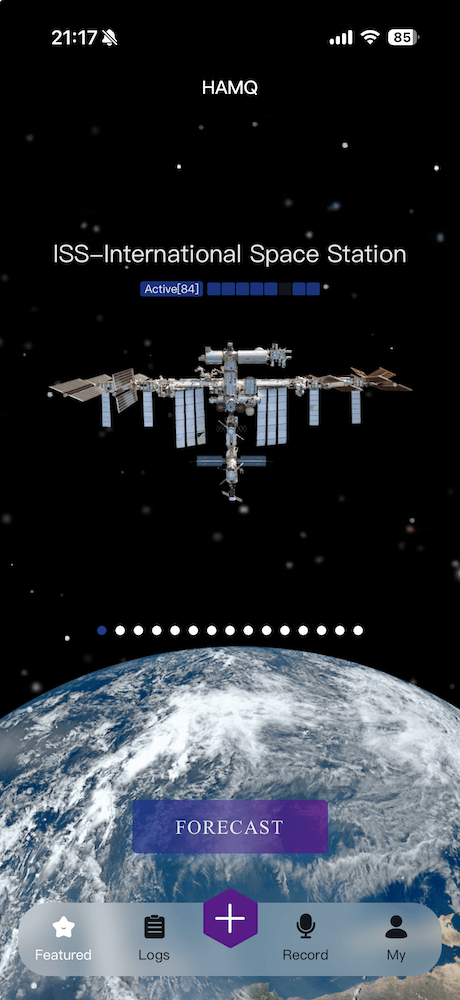
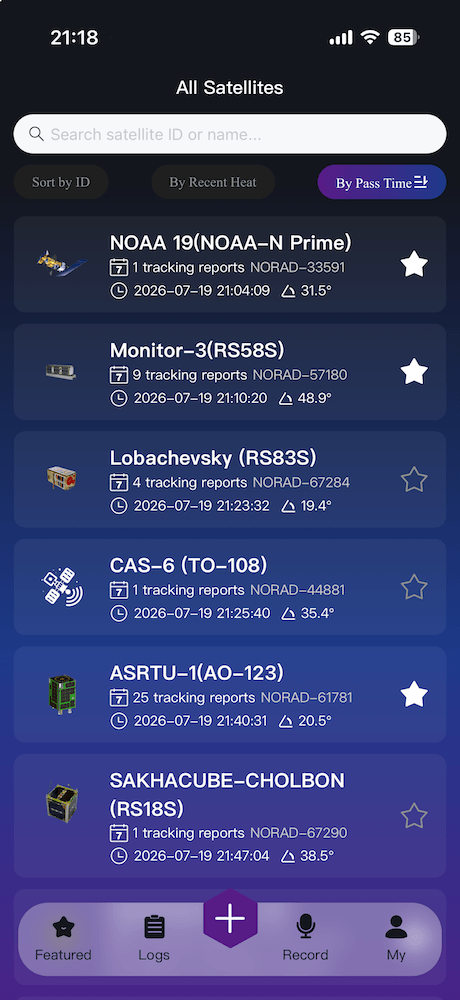
Calculate passes for LEO and GEO satellites with live azimuth, elevation, and compass guidance based on your location.
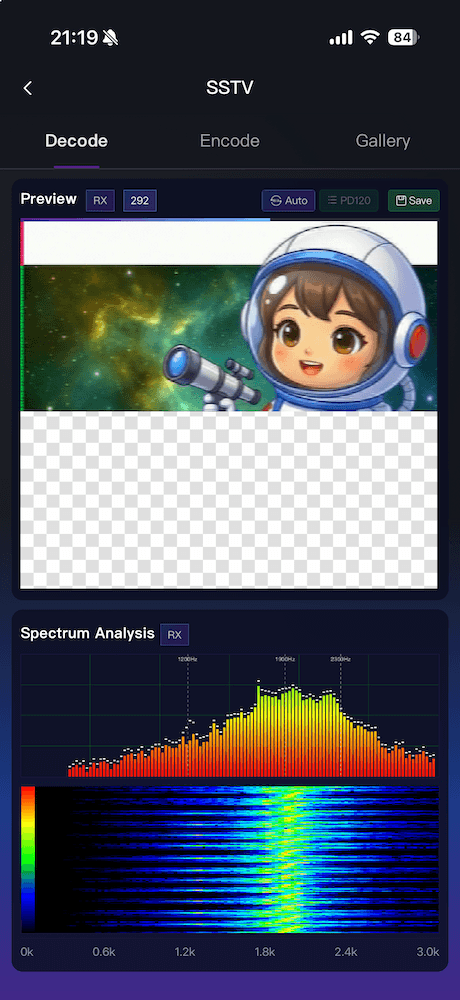
Automatically detect and decode PD, Martin, Scottie, Robot, and other popular modes from live audio or imported recordings.
Record a QSO and extract callsigns, signal reports, frequencies, and equipment details into a structured log entry.
Search contact history, synchronize records, work with Maidenhead grid locators, and review activity statistics.
Send Email QSL cards and track electronic, paper, and LoTW confirmations alongside each QSO.
HAMQ brings satellite pass prediction, SSTV, station tools, and QSO management into one mobile experience. Its SGP4 calculations help you plan satellite contacts, while voice-assisted logging and cloud synchronization keep your operating history organized across supported devices.

HAMQ can analyze a contact recording and help extract important details, reducing repetitive data entry after you finish operating.
Review extracted callsigns, signal reports, frequencies, and station details before saving them to your logbook.
Keep QSO records, confirmation status, and statistics available across supported devices.
Decode popular Scottie, Robot, PD, and Martin modes with automatic VIS detection. Listen through the microphone in real time or import an existing audio recording for offline decoding.
Add your callsign, grid square, and custom text to an image, then generate audio for transmission.
Follow incoming audio on a spectrum waterfall while the image is drawn line by line.
Organize decoded images in the built-in gallery, save them to your device, or share them.
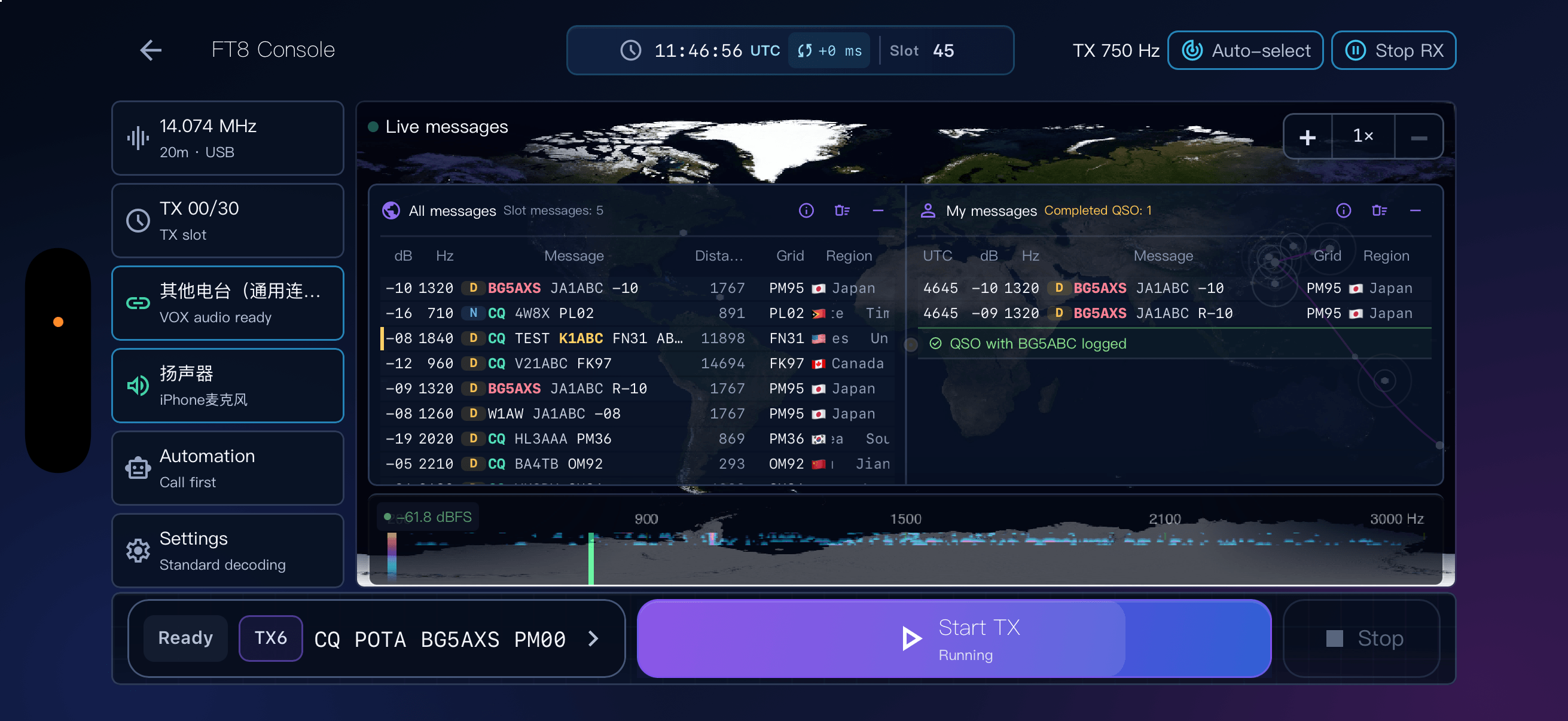
A focused landscape experience built for portable stations and field operation. Spectrum monitoring, live decoding, callsign selection, and the complete QSO flow come together in one uninterrupted workspace.
A complete synchronization, candidate-search, and LDPC/CRC validation pipeline aligns with desktop-class results on public reference material. The Native/Rust core adapts to each slot budget to balance decode quality, responsiveness, and power.
Fixed-corpus engineering benchmarks. Results vary by device, audio path, band activity, and signal conditions.
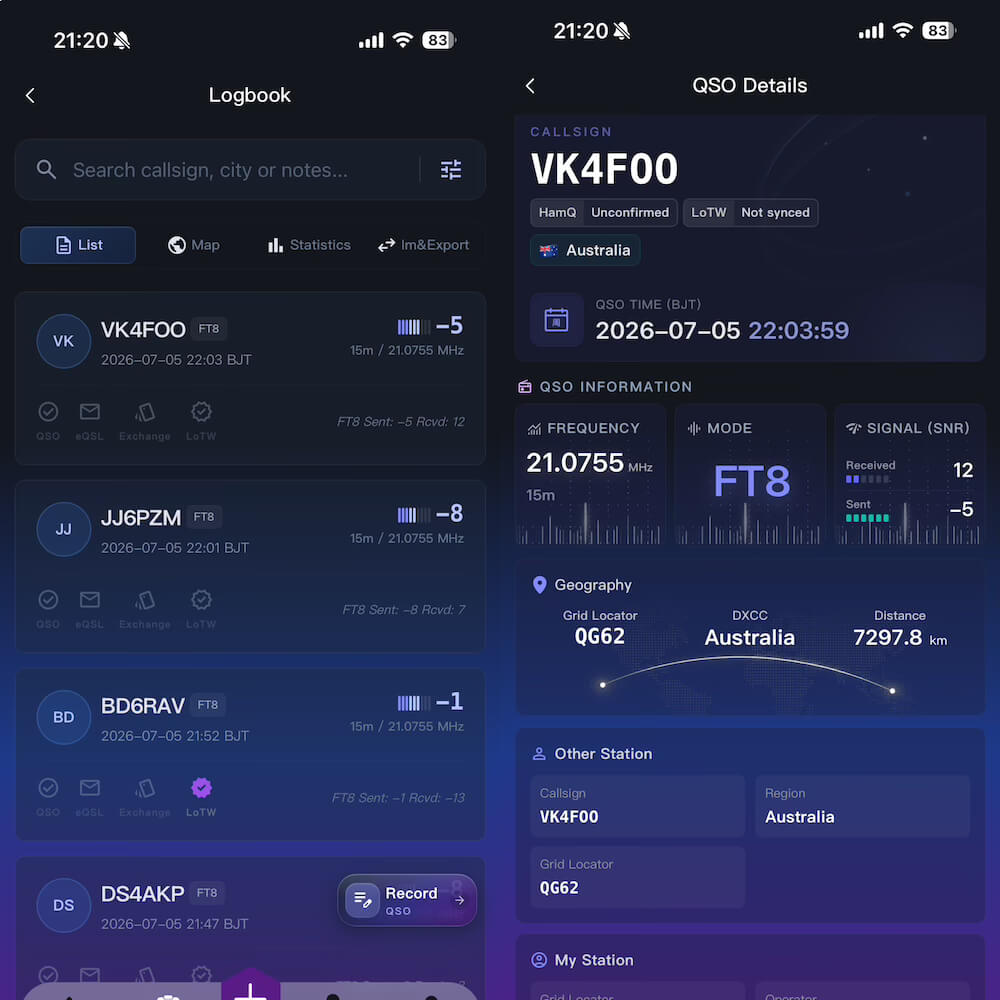
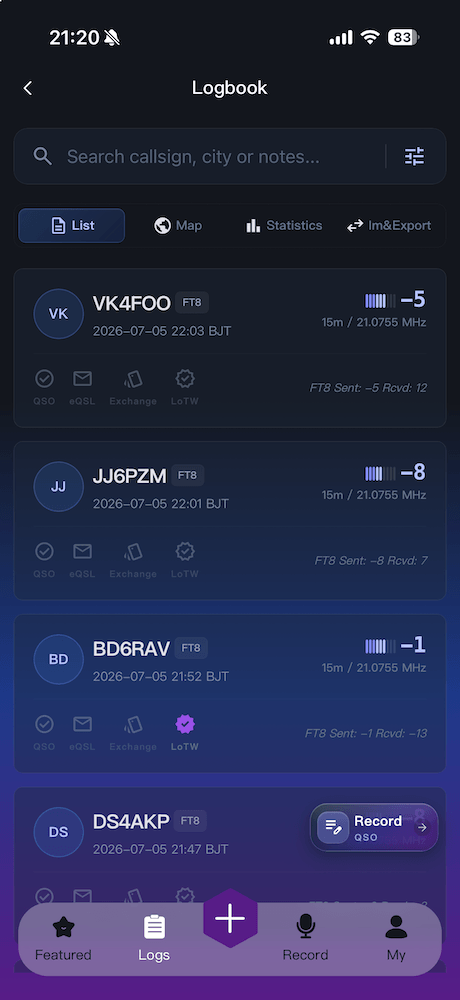
Enter contacts manually or with voice assistance, synchronize them, study your activity, and manage confirmation status without scattering records across separate tools.
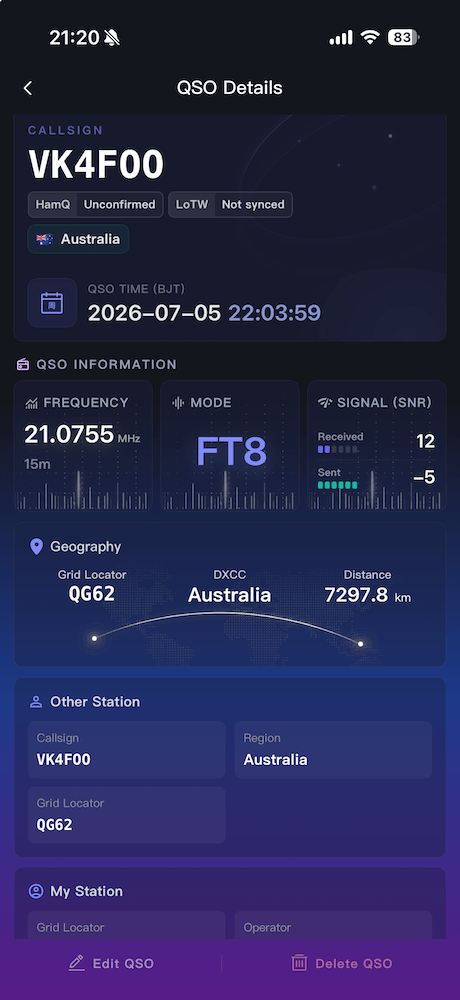
Store callsign, UTC time, frequency, band, mode, RST, grid square, and notes in a consistent record.
Send an electronic QSL summary that the other operator can open in HAMQ and import into their logbook.
Review activity by mode, band, and region while tracking LoTW, electronic QSL, and paper card status.
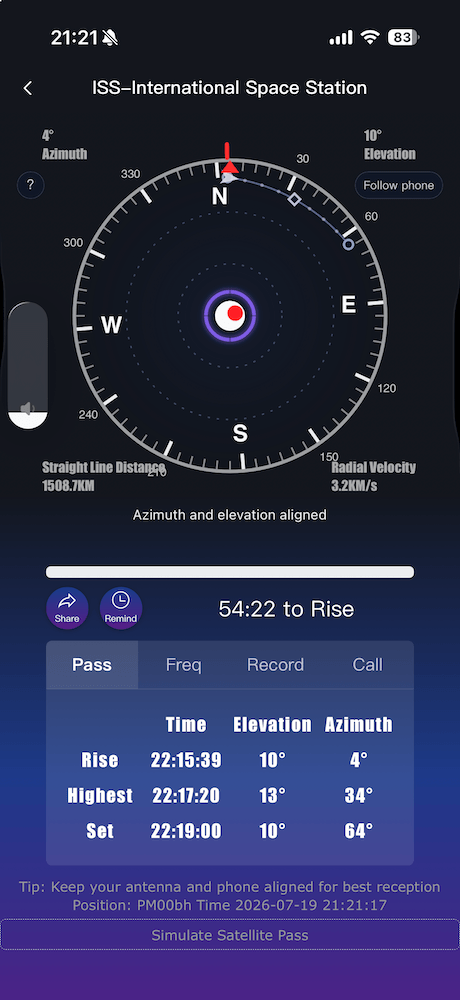


HAMQ uses the SGP4 orbital model and synchronizes TLE data from sources including CelesTrak. Data is cached for offline use and normally refreshed every 24 hours.
Yes. HAMQ uses UTC internally and calculates azimuth, elevation, and pass times from your device location, so predictions adapt to your coordinates and time zone.
Use live microphone audio or import a recording, including iOS M4A files. VIS detection recognizes popular PD, Martin, Scottie, and Robot modes automatically.
Yes. HAMQ supports PD120, which is commonly used for ARISS SSTV events, along with Robot36 and Scottie 1 and 2.
The workspace brings live decoded messages, a spectrum waterfall, a DX map, QSO progress, and logging controls into one view, helping you follow signals and exchange states across every 15-second cycle.
Choose an image in the SSTV encoder, add your callsign, grid square, or custom text, select a mode, and generate the audio. Follow local regulations and your equipment's operating instructions when transmitting.
Yes. Cloud synchronization keeps supported QSO records, statistics, and QSL status available across your devices.
Records can include callsign, UTC time, frequency, band, mode, sent and received RST, grid square, satellite information, and notes.
HAMQ is available on the Apple App Store and Huawei AppGallery. A WeChat Mini Program is also available by scanning the QR code above.
Open FT8 Pro Mode, rotate your device to landscape, select a CQ or target callsign from the decoded queue, and follow the guided exchange through signal reports, confirmation, and log saving. Configure your radio and audio equipment correctly and follow local band plans and operating rules when transmitting.